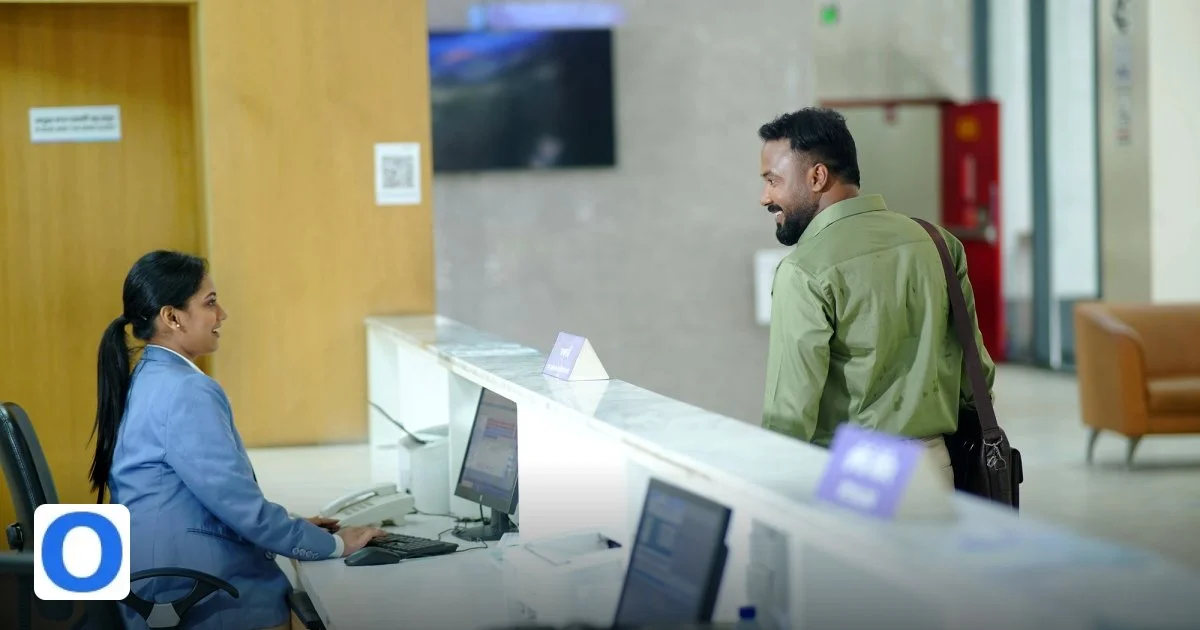
In today’s retail environment, capturing customer interest at the point of interaction is critical for building a responsive omnichannel support strategy. QR codes offer a simple, contactless way to bridge physical store experiences with digital lead management, ensuring no opportunity is missed.
Why QR code lead capture matters for omnichannel support
Physical stores remain a vital touchpoint for customer engagement, yet many businesses struggle to convert in-store interest into actionable leads within their digital support ecosystem. QR code lead capture solves this by enabling instant, frictionless data collection — customers scan a code with their smartphone and are directed to a form or chat interface that feeds directly into OmniDesk’s shared inbox. This eliminates manual data entry, reduces delays, and ensures every interaction is logged from the first moment of contact.
By integrating QR codes into store displays, receipts, or product tags, businesses can capture leads at peak interest moments — such as after a product demonstration or during a query — without requiring staff intervention. This supports a true omnichannel approach where online and offline interactions are unified under a single view, allowing agents to respond with full context regardless of how the lead originated.
Moreover, QR-based lead capture enhances data accuracy and compliance. Since customers input their own details via a secure, branded form linked to OmniDesk, the risk of transcription errors is minimised, and consent can be explicitly captured in line with GDPR and other privacy standards. This builds trust while improving the quality of leads entering the support pipeline.
The result is a seamless transition from physical engagement to digital follow-up. Leads captured via QR code appear in OmniDesk’s shared inbox in real time, tagged with source metadata (e.g., “In-store QR – Product Demo”), enabling agents to prioritise and personalise responses immediately. This not only improves response times but also increases conversion rates by meeting customers where they are — both physically and digitally.
For retailers aiming to scale support without increasing headcount, QR code lead capture acts as a force multiplier. It turns every customer interaction into a trackable, actionable opportunity — ensuring that the omnichannel inbox isn’t just reactive, but proactively fed by real-world engagement.
Setting up QR codes that link to OmniDesk
Configuring QR codes to feed leads into OmniDesk’s shared inbox is a straightforward process that requires no technical expertise. Begin by accessing the OmniDesk admin panel and navigating to the “Lead Capture” section under Integrations. Here, you can create a custom lead form tailored to your in-store use case — whether it’s for product inquiries, newsletter sign-ups, or service requests. Once the form is live, OmniDesk generates a unique, trackable URL that serves as the destination for your QR code.
Next, use any standard QR code generator (many are free and built into OmniDesk’s interface) to encode that URL. Customise the QR code’s appearance to match your brand — add your logo, adjust colours, or include a call-to-action frame like “Scan to Get Help” or “Ask Us About This Product.” Place the code prominently on shelf talkers, countertops, receipts, or even staff badges to maximise visibility and scan rates.
Each QR code can be uniquely tagged with source parameters (e.g., ?source=store_a_display_01) so that when a lead arrives in OmniDesk’s shared inbox, you can instantly see which location, display, or campaign generated it. This granular tracking enables A/B testing of placements and messaging — helping you optimise lead capture performance over time without guesswork.
To ensure reliability, test each QR code on multiple devices and operating systems before deployment. OmniDesk’s system validates incoming leads in real time, flagging incomplete forms or consent issues so agents only receive qualified, actionable entries. Leads appear in the shared inbox with full context: timestamp, source, form responses, and customer sentiment if a chat was initiated.
For ongoing management, OmniDesk’s dashboard provides analytics on scan rates, conversion percentages, and response times by QR code source. This data helps retailers refine their in-store strategy — shifting codes to high-traffic zones, updating offers seasonally, or linking specific products to dedicated support flows. The entire process remains fully compliant, secure, and aligned with your omnichannel support goals — turning every scan into a step toward stronger customer relationships.
| Feature | Benefit |
|---|---|
| Unique URL per QR code | Enables precise tracking of lead source by store, display, or campaign |
| Branded QR code design | Increases scan rates through visual trust and brand consistency |
| Real-time lead routing to shared inbox | Eliminates delays; agents see leads instantly with full context |
| Consent-aware form integration | Ensures GDPR compliance and improves lead quality |
| In-dashboard analytics | Measures performance and informs optimisation of physical placements |
Integrating the QR scan flow with the shared inbox
When a customer scans a QR code in your physical store, the moment they arrive on the capture page is a golden opportunity for your team to stay in the loop. OmniDesk’s QR code lead capture can be wired directly into the shared inbox, ensuring every interaction is recorded in one place.
- Automatic ticket creation. Each scan triggers a new ticket in the shared inbox, labelled with a unique reference that matches the QR code data. This keeps your support agents instantly aware of where the lead originated.
- Real‑time forwarding. By using the platform’s webhook capability, the captured details are pushed to the inbox as soon as the form is submitted. No manual export or double‑entry, so agents can respond within minutes.
- Custom routing rules. Configure the inbox to assign tickets to the appropriate team or agent based on the QR code’s destination. For example, a QR on a product shelf could route the ticket to the sales rep covering that aisle.
- Unified view of touchpoints. All tickets generated from QR scans are collated alongside email, chat and social media requests. Your agents can see the complete customer journey without switching contexts.
- Automated acknowledgement. An instant, personalised thank‑you message can be sent back to the customer via the same channel they used to scan, reinforcing engagement and encouraging further interaction.
With this integration, you eliminate the friction of manual lead hand‑offs and give your support team a single source of truth, boosting response times and nurturing prospects from the very first scan.
Enriching captured leads with contextual data
Capturing a lead’s name and email is just the beginning. To convert foot traffic into sales, you need richer context that tells your team why the customer visited and what they might be after.
- Location tagging. Embed the store’s GPS coordinates or a simple store identifier within the QR code. This allows the shared inbox to display where the lead was captured, helping agents tailor their follow‑up to the local market or inventory levels.
- Product affinity. Link the QR code to a specific product or SKU. When a ticket appears in the inbox, the agent immediately sees the exact item the customer was interested in, enabling a more focused upsell or cross‑sell strategy.
- Temporal context. Include the timestamp of the scan. If a lead appears in the inbox during peak hours, the agent can prioritise accordingly, or schedule a callback during a less busy period.
- Behavioural hints. Combine QR data with in‑store behaviour sensors (e.g., dwell time on a display). This feeds into the ticket as a behavioural score, signalling high intent and allowing agents to flag urgent follow‑ups.
- Personalised content triggers. Use the captured data to auto‑populate the agent’s reply with relevant resources – such as a product brochure, a discount coupon or a link to a virtual try‑on session.
- Analytics layer. Every enriched ticket contributes to a central analytics dashboard. Managers can track which QR locations generate the most qualified leads, refine in‑store layout and optimise the placement of future codes.
By embedding these layers of context into the shared inbox, your support team moves from generic replies to highly targeted, data‑driven interactions that elevate the customer experience and accelerate the conversion funnel.
Automating routing and prioritisation of in‑store leads
When a shopper scans a QR code on a product shelf, a web form or a simple contact capture page can instantly push the visitor’s details into OmniDesk’s shared inbox. The moment the data lands there, the platform’s automation engine takes over, ensuring that no lead is left to languish in a spreadsheet or an unattended mailbox.
First, the incoming payload is parsed for key identifiers – name, email, phone number, and any optional fields such as preferred contact channel or product interest. Using OmniDesk’s built‑in routing rules, you can map these identifiers to the most appropriate support or sales queue. For example, a lead that selects “interested in premium‑grade headphones” can be automatically routed to the audio‑specialist team, while a visitor who ticks “need a price quote” can be sent straight to the sales‑enablement queue.
- Skill‑based assignment: Tags attached to agents (e.g., “audio specialist”, “home‑appliance expert”) are matched against the lead’s product interest, guaranteeing that the first human who sees the ticket already has the relevant knowledge.
- Time‑zone awareness: If the QR scan occurs after business hours, the lead can be placed in a “pending‑out‑of‑hours” bucket that triggers a personalised auto‑reply and schedules the ticket for the next shift.
- Priority scoring: OmniDesk can calculate a lead score on the fly, taking into account factors such as purchase intent (e.g., “add to cart” flag), loyalty‑program membership, and the store location’s foot‑traffic density. High‑score tickets are automatically flagged as urgent and surface at the top of the inbox.
All of these actions happen without manual intervention, meaning the moment a shopper walks away from the QR code, a qualified lead is already on its way to the right person. The shared inbox view remains clean and ordered, with colour‑coded tags that instantly convey the lead’s source, product line, and urgency level. This level of automation not only speeds up response times but also reduces the risk of human error, ensuring that every in‑store interaction is captured, routed, and prioritised in a single, seamless workflow.
Measuring impact and optimising the QR strategy
Deploying QR codes is only the first step; the real value emerges when you can quantify how each scan contributes to your pipeline and refine the approach accordingly. OmniDesk’s analytics dashboard provides a dedicated “QR Lead Capture” panel that aggregates data from every scan, linking it back to the originating store, product category, and the subsequent actions taken within the shared inbox.
The panel displays key metrics such as total scans, conversion‑to‑ticket rate, average first‑response time, and win‑rate per store. By drilling down into these figures, you can spot patterns – for instance, a particular aisle may generate a high volume of scans but a low conversion rate, suggesting the need for clearer messaging or a more compelling call‑to‑action on the QR landing page.
- A/B testing: Create two versions of the QR landing experience – one with a short form, another with a richer product catalogue – and let OmniDesk automatically tag tickets with the variant identifier. Compare conversion metrics to determine which design drives higher quality leads.
- Heat‑map integration: Pair OmniDesk data with in‑store foot‑traffic heat‑maps to see whether high‑traffic zones are under‑utilised for QR placement, or whether a low‑traffic corner is punching above its weight in lead quality.
- Feedback loops: After a lead is closed, agents can add a quick “lead quality” rating. OmniDesk aggregates these scores, feeding them back into the priority‑scoring algorithm so future leads from the same store or product line are automatically weighted more accurately.
Regularly reviewing these insights enables you to iterate on QR code design, placement, and the accompanying capture form. Over time, you’ll notice trends such as reduced response times as routing rules become more refined, or an uplift in conversion as high‑score leads receive faster, more personalised follow‑up. By treating QR code scanning as a data‑driven channel rather than a static promotional tool, OmniDesk helps you turn every in‑store interaction into a measurable, optimisable contribution to your sales funnel.
Verdict: QR code lead capture OmniDesk delivers seamless in‑store engagement
In an era where the line between physical and digital retail continues to blur, QR code scanning has emerged as a straightforward yet powerful tool for converting foot traffic into actionable leads. OmniDesk’s QR code lead capture feature transforms a simple tap into a data‑rich interaction that feeds directly into a shared inbox, enabling teams to respond with speed, context and consistency.
At its core, the system operates on a few elegant principles. First, each QR code is linked to a dedicated landing page that automatically populates the visitor’s name, email and any custom attributes you wish to collect. This information is then packaged as a single, cohesive lead and injected into the shared inbox that every member of your customer support or sales team can view instantly.
Second, the shared inbox is not merely a repository; it is a living conversation hub. Every new lead triggers a notification, ensuring that no opportunity slips through the cracks. Team members can assign the lead, add internal notes, or even push a pre‑configured follow‑up email—all from the same interface. Because the data originates from a real in‑store interaction, the context is richer than a generic form submission, giving your team a head start on personalising outreach.
- ✅ QR code generates a unique lead record
- ✅ Real‑time notification to shared inbox
- ✅ Automatic assignment rules and priority flags
- ✅ Centralised follow‑up templates and auto‑responses
- ✅ Analytics dashboard tracks scan volume and conversion rates
Operationally, the integration is seamless. Deploy QR codes on product displays, in‑store signage or staff‑handheld devices without the need for additional hardware or complex configuration. The shared inbox is already part of the OmniDesk stack, so no separate onboarding or training is required—just a quick link and a few clicks to map the fields.
From a strategic standpoint, QR code lead capture aligns perfectly with omnichannel customer support. It bridges the gap between brick‑and‑mortar and digital touchpoints, ensuring that every in‑store interaction adds value to your broader customer journey. By funneling leads straight into a unified inbox, OmniDesk empowers teams to act swiftly, collaborate effectively and ultimately close more deals—all while preserving the personal touch that shoppers expect in physical retail.
Frequently Asked Questions
How does a QR code scan become a lead in OmniDesk?
When a shopper scans the QR code, they are directed to a short web form that captures contact details. The form is linked via OmniDesk’s API, so each submission appears instantly in the shared inbox as a new lead.
Do I need a separate app for customers to scan QR codes?
No separate app is required; any standard smartphone camera can read QR codes. The URL embedded in the code points to a mobile‑optimised capture page hosted by OmniDesk.
Can I tag leads from different store locations automatically?
Yes, you can embed location parameters in the QR code URL. OmniDesk reads these parameters and applies corresponding tags, making it easy to segment leads by store.
What happens if a lead submits incomplete information?
OmniDesk’s form validation prompts users to fill required fields. If a submission is still partial, the lead is flagged in the inbox for follow‑up rather than being discarded.
How can I track the performance of each QR code campaign?
OmniDesk provides built‑in analytics that show scans, conversions, and response times per QR code, allowing you to compare store performance and refine placements.
Frequently Asked Questions
How does a QR code scan become a lead in OmniDesk?
When a shopper scans the QR code, they are directed to a short web form that captures contact details. The form is linked via OmniDesk’s API, so each submission appears instantly in the shared inbox as a new lead.
Do I need a separate app for customers to scan QR codes?
No separate app is required; any standard smartphone camera can read QR codes. The URL embedded in the code points to a mobile‑optimised capture page hosted by OmniDesk.
Can I tag leads from different store locations automatically?
Yes, you can embed location parameters in the QR code URL. OmniDesk reads these parameters and applies corresponding tags, making it easy to segment leads by store.
What happens if a lead submits incomplete information?
OmniDesk’s form validation prompts users to fill required fields. If a submission is still partial, the lead is flagged in the inbox for follow‑up rather than being discarded.
How can I track the performance of each QR code campaign?
OmniDesk provides built‑in analytics that show scans, conversions, and response times per QR code, allowing you to compare store performance and refine placements.