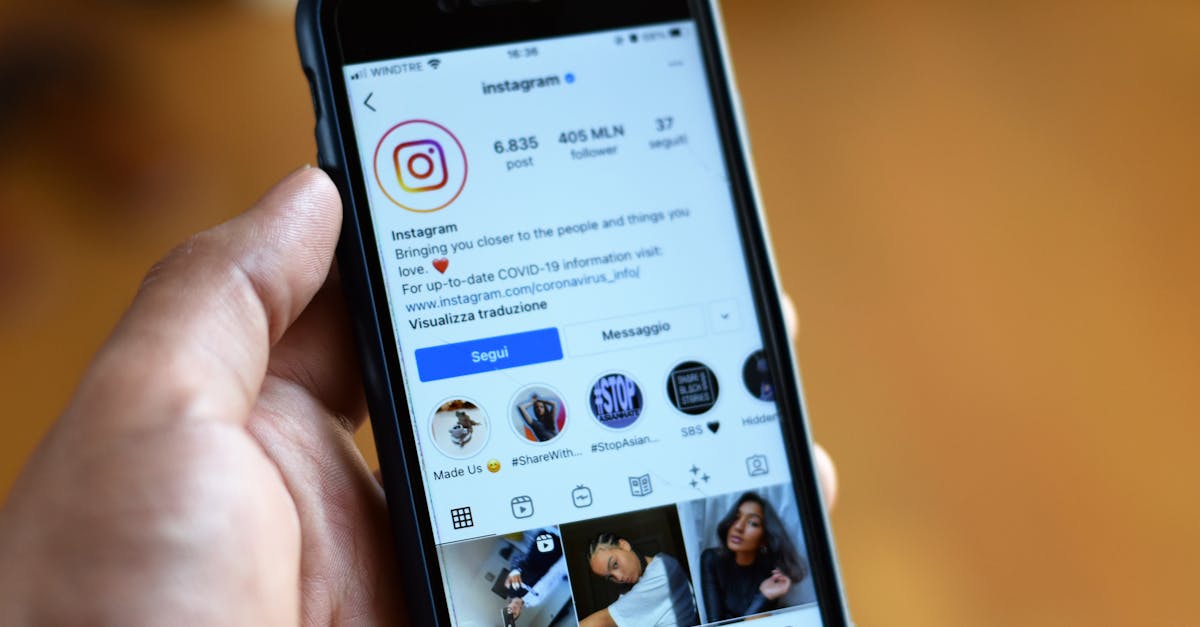
A customer who replies to your story, comments "price?" under a reel, and then sends a DM asking where her order is has contacted you three times through three different Instagram surfaces — and every one of those threads lands in the same direct-message inbox. If you treat that inbox as a marketing afterthought, you will miss paying customers. If you treat it as a support channel with rules, staffing and response targets, it becomes one of the most forgiving places to do customer service, because the people messaging you already follow you.
This guide covers the four things that actually determine whether Instagram support works in 2026: getting the account and permissions set up correctly, using only the automation Meta permits, building story-reply and comment-to-DM funnels deliberately, and knowing the moment when the native app stops being enough.
Set Up the Account Before You Promise Support
Instagram support runs on a professional account. A personal account cannot use inbox folders, saved replies, automated responses or any third-party inbox tool. The setup order matters, so do it in this sequence:
- Switch to a professional account. In the Instagram app: Settings → Account type and tools → Switch to professional account. Choose Business (not Creator) for a company — Business accounts get the full set of contact buttons and inbox tools.
- Connect the account to your Facebook Page and Meta Business Portfolio. This is what unlocks Meta Business Suite's shared inbox and, critically, API access for any external inbox tool. An Instagram account that is not linked to a business portfolio cannot be connected to a third-party support platform.
- Enable message access for connected tools. In Instagram: Settings → Messages and story replies → Message controls → Connected tools, and allow access. Teams regularly connect an inbox platform, see no messages arrive, and spend a day debugging — this toggle is almost always the reason.
- Set your message request settings deliberately. Messages from people who don't follow you land in the Requests folder, and Instagram splits the main inbox into Primary and General. Decide as a team where support threads live (most teams move them to General and keep Primary for priority conversations) and check Requests daily — new customers, by definition, are not followers yet.
One more structural decision: if the same person answers WhatsApp and Instagram — which is the norm in small MENA teams — plan for a unified omnichannel inbox from the start rather than bolting it on later. Migrating live conversations mid-quarter is far more painful than connecting two channels on day one.
The DM Automation Meta Actually Permits
Instagram automation has a bright line running through it. On one side is automation Meta builds or sanctions; on the other are unofficial tools that log into your account and simulate a human. The second category gets accounts action-blocked or banned, so it is worth being precise about what is allowed in 2026:
- Instant replies and away messages. Set in Meta Business Suite. An instant reply greets the first message of a conversation; away messages cover hours when nobody is on shift. Use the away message to state when a human will answer — an honest "we reply within 2 hours, 9am–9pm GST" outperforms silence.
- Frequently asked questions (ice breakers). You can pin up to four tappable questions that appear before a customer types anything, each with an automated answer. Shipping cost, delivery time, returns and "is this in stock?" cover most retail volume.
- Saved replies. Templated answers triggered by a keyword shortcut while an agent types. These are agent-assist, not automation — the human still hits send — which is why there is no policy risk in using them heavily.
- API-based automation through an approved platform. Tools built on Meta's messaging API (comment-to-DM tools, keyword auto-replies, AI reply bots, shared inboxes like OmniDesk) operate with Meta's permission system rather than your password. This is the only sanctioned route for anything more sophisticated than the built-ins.
- Not permitted: unsolicited outbound DMs to users who never messaged you, mass-DM "growth" tools, follow/unfollow bots, and anything that asks for your Instagram password instead of an official login-with-Facebook flow. Instagram has no equivalent of WhatsApp's approved template messages for re-opening conversations — if the window is closed, you cannot start one.
The governing rule behind all of this is the messaging window: once a customer messages you, you have a 24-hour window to respond freely, including with automation. Outside that window, API access is restricted to narrow cases (such as a human agent following up shortly after the window closes), and there is no paid workaround. Practically: answer fast, and if a conversation needs days of back-and-forth — a repair, a refund investigation — move it to a channel without a window, like WhatsApp or email, before the thread goes cold.
Story Replies and Comment-to-DM: Build the Funnels on Purpose
Most brands receive story replies and comment DMs passively. The better approach is to treat each surface as a designed entry point:
- Story replies. Every reply to a story is a DM, and it opens the 24-hour window. Stories with a question sticker, poll or "DM us for the link" prompt reliably generate conversations — which means the person posting stories is generating support volume, and the support team should know when a big story is going out.
- Story mentions. When a customer tags you in their story (usually an unboxing or a complaint), you get a notification and can reply in DM. Replying within the hour to a happy mention is the cheapest goodwill available; replying within the hour to an unhappy one keeps it out of your comments.
- Comment-to-DM. API-based tools can watch a post for a trigger word ("PRICE", "GUIDE") and automatically send the commenter a DM. This converts public intent into a private conversation where you can actually close a sale. Use a specific trigger word you announce in the caption, reply to the comment publicly as well so others see you respond, and make sure the automated DM asks a question — a message that just dumps a link ends the conversation instead of starting it.
Each entry point behaves differently in the inbox, which is where labels earn their keep. Tagging threads by origin — story reply, comment funnel, cold DM — tells you within a month which surface produces buyers and which produces noise.
| Entry point | What the customer did | Typical intent | How to handle it |
|---|---|---|---|
| Direct DM | Opened your profile and messaged | Order status, complaint, pre-sale question | Human reply against a response-time target; auto-acknowledge after hours |
| Story reply | Replied to a story prompt | Curiosity, high purchase intent | Fast conversational reply; ask a qualifying question |
| Comment-to-DM trigger | Commented a keyword on a post | Wants the price, link or guide | Automated first DM, human follow-up within the 24-hour window |
| Message request | Messaged without following you | Often a new customer or partner | Check the Requests folder on a daily schedule — these are easy to miss |
Response-Time Expectations on Instagram in 2026
Instagram is a real-time medium and customers treat DMs like chat, not email. People who message a business on social media generally expect an answer the same hour, and the conversion cost of slowness is brutal on pre-sale questions: someone asking "does this come in medium?" is usually messaging two or three shops at once, and the first useful answer tends to win the order.
Three practical targets that hold up for small teams:
- Business hours: first response within 15–60 minutes. This is achievable once DMs sit in a queue someone owns, rather than a phone someone occasionally checks. Compare your numbers against first-response-time benchmarks for support teams to set a target that fits your staffing.
- After hours: automated acknowledgment within seconds. The away message buys you until morning, but only if it states a concrete time. "We'll get back to you" buys nothing.
- The 24-hour window is your hard deadline. Any thread still unanswered as the window closes should be escalated automatically — after it closes, you may simply not be able to reply on this channel.
Also mind Instagram's own scoreboard: Business accounts that respond quickly to a high share of messages can earn a "very responsive" badge on their profile, and slow, spotty replying forfeits it. It is a small trust signal, but it is displayed exactly where a hesitant buyer is deciding whether to message you.
Instagram DMs, WhatsApp and email in one queue — with assignment, labels and AI replies.
Try OmniDesk free →When the Native Inbox Stops Being Enough
The Instagram app plus Meta Business Suite is genuinely fine for one person handling a handful of DMs a day. The breaking points are predictable, and they arrive in this order:
- Two people, one inbox. The moment a second person answers DMs, you lose track of who is handling what. Threads get double-answered or, worse, both people assume the other replied.
- Cross-channel customers. The same customer DMs on Instagram, then follows up on WhatsApp about the same order. With separate apps, nobody sees the whole story, and the customer repeats themselves — the single most common complaint about small-business support.
- No numbers. The native tools tell you almost nothing about response times per agent, volumes per day, or which entry points produce sales. You cannot manage a queue you cannot measure.
- Repetitive questions eating hours. When half your DMs are "how much is shipping?", the answer is not more agents, it is automation plus AI-based deflection of repetitive questions.
This is the point of a shared inbox: OmniDesk connects Instagram DMs alongside WhatsApp, Telegram and email in one queue, so threads can be assigned to a named agent, labeled by origin and intent, routed by rules, and answered with AI-drafted replies where the question is routine. The same logic that governs automatic chat assignment for WhatsApp applies to Instagram threads, so one routing setup covers both channels. And if you are weighing which social channels deserve a queue at all, read our honest assessments of whether Facebook Messenger is still worth investing in and how Telegram fits into business support — the answer is different for every market.
The First 30 Days: A Realistic Rollout Plan
Instagram support fails most often not from bad tools but from an unowned rollout. A sequence that works for a two-to-five-person team:
- Week 1 — plumbing and baseline. Complete the account setup above, connect the inbox tool, and simply measure: how many DMs arrive per day, at what hours, from which entry points, in which languages. Do not change anything yet — you need a baseline to know whether anything you do later works.
- Week 2 — automation floor. Turn on the instant reply, the away message with a concrete response-time promise, and the four FAQ ice breakers matched to your actual top questions from week 1 — not the questions you assume you get. Write ten saved replies for the next tier of common answers.
- Week 3 — ownership and routing. Give every DM an owner. In a shared inbox that means routing rules: story replies and comment-funnel leads to whoever handles sales, order-number messages to support, Arabic threads to your Arabic speaker. In a two-person shop it can be as simple as morning/evening shifts — the point is that "someone will see it" stops being the plan.
- Week 4 — review against numbers. Compare first-response times and answered-within-window rates against the week-1 baseline. Kill automations that generate confusion, promote the saved replies agents actually use, and set the targets you will hold going forward.
After thirty days you will know your real volume, your real response times, and whether Instagram deserves more investment — knowledge most brands never acquire because the channel stays on one person's phone, unmeasured.
Frequently Asked Questions
Can I send a DM first to someone who has never messaged us?
Not through any sanctioned automation. Instagram's business messaging is customer-initiated: the customer messages, replies to a story, or triggers a comment-to-DM flow, and that opens your window to respond. Tools promising cold mass-DMs operate against Instagram's terms and put the account at risk.
Do story replies and comment-to-DM messages count as customer-initiated conversations?
Yes. A story reply is a DM, and a comment-to-DM trigger is treated as the customer opting into a conversation. Both open the standard 24-hour response window, and both arrive in the same inbox as ordinary DMs — which is exactly why labeling threads by origin matters.
What happens if we miss the 24-hour window?
Automated and API-sent replies are blocked outside the window, with only narrow exceptions such as a prompt human-agent follow-up. In practice, treat an expiring window as an escalation: answer before it closes, or invite the customer to continue on WhatsApp or email, where no window applies.
Is it against the rules to use an AI bot to answer Instagram DMs?
No — provided the bot operates through Meta's official API via an approved platform, only replies to customer-initiated conversations, and hands off to a human when asked. Meta's policies require automation to disclose itself when a user asks and to offer a path to a person; an AI that traps customers in a loop hurts you on both policy and CSAT.
Can several agents answer Instagram DMs without sharing one phone?
Yes. Once the Instagram account is connected to a business portfolio, an API-based shared inbox like OmniDesk gives each agent their own login, with conversations assigned, labeled and tracked — no shared password, no passing a phone around, and a full history of who answered what.
Should support and marketing share the Instagram inbox?
They share it whether you plan for it or not — story replies to a marketing campaign and order complaints arrive in the same place. The workable split: marketing owns publishing and comment moderation, support owns every DM, and labels mark which campaign a thread came from so marketing still sees what its posts generate without owning the queue.