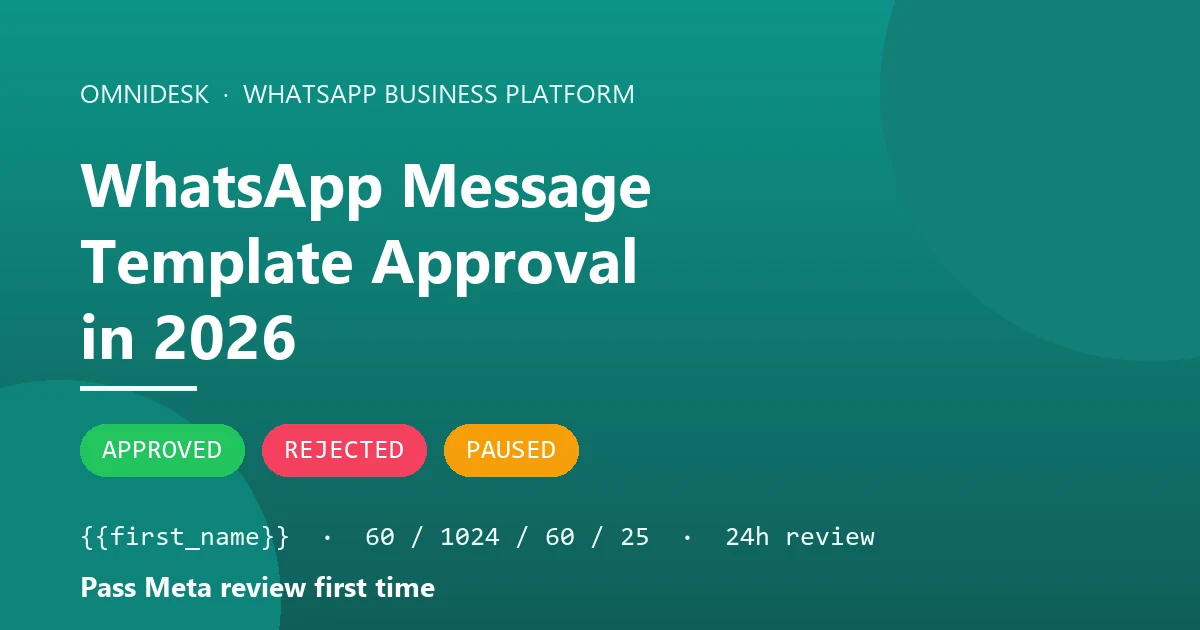
Submitting outbound templates through Meta's Cloud API or WhatsApp Manager often feels like submitting code to an overly strict compiler. A single trailing bracket, a misplaced variable, or an incorrect category selection can trigger an immediate rejection code, leaving customer support leads and technical teams unable to broadcast critical operational updates or run outbound support workflows. Securing consistent WhatsApp message template approval requires understanding Meta's automated validation engine, strictly following component character limits, and aligning your content with Meta's strict categorisation rules.
Why WhatsApp message template approval fails for structural syntax rather than copy
When you submit a new template through the WhatsApp Business Cloud API or Meta's WhatsApp Manager, it does not immediately land in front of a human reviewer. Meta documents that templates are automatically reviewed upon creation or after editing. The review infrastructure relies on a combination of automated systems and manual reviews to evaluate both structural compliance and underlying copy. According to Meta's technical documentation, it can take up to 24 hours for an approval decision to be made. However, documentation from Business Solution Providers (BSPs) such as Twilio quotes up to 48 hours for their own pending state while messages pass through intermediary validation layers.
A message template must achieve an explicit status of APPROVED before your system can dispatch it to recipients. If your submission fails within the first few seconds or minutes, the failure is almost certainly mechanical. Automated parsers scan the submission for schema compliance, variable placement, bracket balance, and character thresholds before handing the template off to deeper content classification models. If the structural parser detects a malformed placeholder or a missing example value, the system halts processing instantly.
Understanding this distinction helps support operations and engineering leads troubleshoot rejections efficiently. When a submission is turned down instantly, spending hours tweaking marketing copy or rephrasing polite language is ineffective. Instead, audit the template's technical construction against Meta's schema rules, because that is where WhatsApp message template approval is actually decided. Passing WhatsApp message template approval on your first attempt requires treating template creation like writing code: syntax, parameters, and variable definitions must be flawless before Meta's review engine evaluates your text.
The category you choose decides the price, the review and the reach
Every outbound template must be assigned to exactly one of three categories at creation: authentication, marketing, or utility. You declare this category when creating the template, and WhatsApp subsequently validates your choice against its content guidelines. Choosing the wrong category does not merely risk delay; it alters conversation pricing, affects delivery restrictions in specific regions, and changes what WhatsApp message template approval is even testing your copy against.
Meta defines the three official categories strictly within its developer documentation:
- Marketing: Templates that enable businesses to achieve a wide range of goals, from generating awareness to driving sales and retargeting customers. This includes brand awareness, promotional offers, sales updates, retargeting messages, app promotion, and building long-term customer relationships.
- Utility: Templates that are non-promotional AND either user-specific or essential/critical to an ongoing transaction. Meta's documented examples include opt-in confirmations, order management updates, account alerts, feedback surveys, and conversation continuation messages.
- Authentication: Templates designed strictly to verify a user's identity using alphanumeric one-time passcodes across various steps of the customer journey.
Historically, declaring the wrong category resulted in an outright rejection. However, effective 9 April 2025, Meta updated its enforcement model: if you select UTILITY and WhatsApp determines the content should be classified as MARKETING, the template is approved as MARKETING rather than rejected. If you disagree with Meta's automated reclassification, you can request a category review up to 60 days from the date the category was updated. For approved templates generally, you can request a category review up to 60 days from the initial creation date.
Category selection directly impacts message economics. A widely repeated claim across vendor blogs states that service messages become billable on 1 October 2026 and that utility templates lose their free in-window status. Meta's official documentation explicitly contradicts this claim. Meta states verbatim: "Utility template messages sent within an open customer service window are free." Budget from Meta's own updates-to-pricing page rather than from a vendor summary, and read how WhatsApp Business API pricing is actually structured before you let a category decision be made on cost grounds.
Meta documents precise rate-card movements across global markets throughout 2026:
- 1 January 2026: India billing localisation, higher marketing rates, and lower North America utility and authentication rates.
- 1 April 2026: Higher marketing rates for Saudi Arabia; higher international authentication rates for India; higher utility and authentication rates for Pakistan; lower utility and authentication rates for Turkey; and the introduction of eight new billing currencies.
- 1 July 2026: Multiple market-specific rate adjustments alongside Brazil billing localisation.
- 1 October 2026: Lower utility and authentication rates for Bangladesh, Iraq, Nepal, and Sri Lanka; higher utility and authentication rates for Kazakhstan, Kuwait, Morocco, Oman, and Ukraine.
Category selection also governs geographic reach. Effective 1 April 2025, Meta paused the delivery of marketing-category template messages to United States phone numbers. As of August 2026, this pause remains fully in effect with no announced end date. Utility templates, authentication templates, free-form replies sent inside an open 24-hour customer service window, and inbound conversations initiated from a Click-to-WhatsApp ad all continue to deliver normally to US recipients.
If your team submits an abandoned cart reminder under the utility category to bypass promotional rates or geographic pauses, Meta's automated classifiers will catch the commercial intent. Automated systems recognise cart reminders as sales retargeting. If you are building a cart recovery sequence on Shopify or WooCommerce, submit it as marketing from the start; the alternative is a silent recategorisation that costs you the marketing rate anyway and a quality hit on top.
Parameter syntax is where most WhatsApp message template approval attempts die
Variable parameters allow customer support platforms like OmniDesk to inject dynamic data—such as customer names, order tracking numbers, or appointment dates—into automated messages. However, incorrect parameter formatting is the single most common cause of automated rejections during WhatsApp message template approval. Meta's review engine strictly checks variable syntax against structural rules before evaluating the text.
Meta supports two distinct parameter formats, each with strict rules governing placeholder structure and sample values:
- Named Parameters: Must be unique, single strings composed strictly of lowercase characters and underscores, wrapped inside double curly brackets (for example,
{{first_name}}or{{order_number}}). When submitting named parameters, sample values and real values can appear in any order within your submission API payload. - Positional Parameters: Must be ordered array index numbers starting from 1, wrapped inside double curly brackets (for example,
{{1}},{{2}},{{3}}). Unlike named parameters, example values for positional parameters must appear in the exact order that their corresponding placeholders appear in the template text.
Formatting errors trigger immediate rejections. AWS End User Messaging Social documentation and BSP logs highlight common parameter failures, including variable parameters containing forbidden special characters such as #, $, or %, mismatched or missing curly braces, and non-sequential positional indexes, meaning a gap in the run such as a template that defines {{1}}, {{2}} and {{4}} with no {{3}}. BSP tooling frequently surfaces these failures under the error code INVALID_FORMAT, defined as: "The template includes incorrectly formatted placeholders or elements."
Another major rule enforced by Meta is the prohibition of dangling parameters. Meta's technical documentation explicitly dictates: "The message template cannot start or end with a parameter (dangling parameters are not allowed)." Placing a variable at the very beginning of your message body (for example, starting a template directly with {{first_name}}) or ending the body with a trailing variable (such as {{tracking_url}}) will result in immediate rejection.
Furthermore, parameters must be separated by static context text. Placing two parameter placeholders directly adjacent to one another—such as {{1}}{{2}}—prevents automated classifiers from identifying where one data field ends and the next begins. To pass WhatsApp message template approval, ensure every parameter is enclosed in double curly braces, uses valid character sets, follows numeric or named conventions, contains surrounding prose, and includes representative sample data upon submission.
Every component has a hard ceiling and the reviewer counts characters
A WhatsApp message template is constructed from distinct structural components: a header, a body, a footer, and optional interactive buttons. Meta enforces rigid character boundaries across every component, and WhatsApp message template approval fails on them before a human ever sees the copy. Exceeding a limit by a single character is enough.
Meta's developer documentation specifies the exact character limits and functional constraints for every template component:
- Template Name: Maximum 512 characters. Must consist strictly of lowercase alphanumeric characters and underscores (no spaces, hyphens, or uppercase letters).
- Text Header: Maximum 60 characters. Supports a maximum of 1 parameter. Meta explicitly instructs developers: "Do not use Markdown special characters" in text headers. If a header contains a parameter, you must supply example values at creation.
- Body Text: Maximum 1024 characters. Supports multiple variable parameters.
- Footer Text: Maximum 60 characters.
- Button Labels: Maximum 25 characters per button label. Applies to quick reply buttons, call-to-action URL buttons, and phone number buttons.
Meta allows up to 10 button components in total within a single template structure. A display constraint comes with them: Meta documents that templates carrying 4 or more buttons cannot display on desktop clients. If quick replies and action links are load-bearing in your flow, keep the count low and check how your interactive message components render on desktop before you rely on them.
Character count violations also occur when creators attempt to overload templates with excessive emojis or long URLs inside variable fields. While emojis are supported within the template body, Meta flags submissions containing excessive emojis as poor quality or spam-like content. Keep header text concise, format parameters cleanly, keep button labels under 25 characters, and maintain body copy comfortably beneath the 1024-character ceiling to guarantee smooth validation.
Authentication templates are not writable, they are configurable
Engineers and product leads frequently attempt to write custom copy for one-time passcode (OTP) templates, only to experience immediate rejections. Under Meta's developer framework, authentication templates are not free-form text documents, and WhatsApp message template approval treats any attempt to write one as a category error. They are predefined system components that are configured rather than written.
Meta's documentation strictly defines the allowable content within the authentication category. Free-text body content is simply not supported for this category. The body text is fixed and non-customisable, constrained to Meta's standard string:
<VERIFICATION_CODE> is your verification code.
Beyond this mandatory core string, creators may choose to include up to two optional, pre-approved text add-ons:
- Optional Security Disclaimer: "For your security, do not share this code."
- Optional Expiry Warning: "This code expires in <NUM_MINUTES> minutes."
If you include the expiry warning, Meta allows you to define the code expiry duration anywhere from 1 to 90 minutes. You cannot alter the words of the disclaimer or the expiry sentence; you may only toggle their inclusion and specify the numerical duration integer.
Authentication templates also govern button configuration. Meta provides exactly three button options for authentication messages: a one-tap autofill button (which automatically passes the code to your native app and requires specific Android application code changes), a copy code button, or no button at all (the zero-tap variant). Attempting to insert custom text, marketing taglines, greeting phrases, or custom calls-to-action into an authentication template will trigger an automated category mismatch or format error, causing instant submission failure.
Policy rejections are slower to fix than syntax errors
While mechanical syntax failures fail immediately, policy rejections often take up to 24 hours to surface because they involve advanced natural language processing models or manual review teams. Passing WhatsApp message template approval requires strict compliance with the WhatsApp Business Policy and Commerce Policy.
Section 4 of the WhatsApp Business Policy outlines prohibited categories. You cannot submit templates that promote, facilitate, or reference any of the following restricted commercial sectors:
- Firearms.
- Alcohol and tobacco products.
- Drugs, whether prescription or recreational.
- Medical and healthcare products.
- Endangered species, and live non-endangered animals other than livestock.
- Hazardous goods and materials.
- Real, virtual, or fake currency, including initial coin offerings (ICOs) and binary options.
- Body parts or fluids.
- Business models, goods, items, or services that Meta determines may be or are fraudulent, misleading, offensive, or deceptive.
- Real money gambling and gaming.
- Adult products and services.
- Dating services.
- Multi-level marketing.
- Payday loans, paycheck advances, peer-to-peer lending, debt collection, and bail bonds.
In addition to sector prohibitions, Meta strictly prohibits requesting sensitive identifiers from users within template copy or variable fields. Meta does not publish an exhaustive list of what counts as sensitive, so read the rule broadly: if a template asks the customer to type back a payment card number, a national identity number, a password or a health identifier, expect it to be refused and move that step to a form or a secure link instead.
Meta's engine also scans for content that violates safety guidelines, including abusive or threatening language. BSP tooling categorises these policy flags under specific status codes, such as ABUSIVE_CONTENT, SCAM, or TAG_CONTENT_MISMATCH (which occurs when the selected language or category does not match the actual text submitted).
Furthermore, Meta automatically checks for duplicates. Meta's technical documentation highlights that "The message template is a duplicate of an existing template." If your team creates a new template whose body text and structure match an active template already stored in your WhatsApp Manager, the system rejects the submission.
None of this is visible to the reviewer, but it is visible to the recipient, and the recipient is who decides your template's fate after approval. Templates sent to people who never agreed to hear from you draw blocks and spam reports, which is why Meta's opt-in rules matter to WhatsApp message template approval even though consent is never checked at review time. Sustained over weeks, that pattern is one of the routes to what actually gets a WhatsApp Business account banned.
Approval is the start of the quality clock, not the end of it
WhatsApp message template approval is a gate, not a guarantee. Receiving an initial APPROVED decision does not protect a template from later administrative action. Once a template begins dispatching to real end-users, Meta continuously monitors customer reaction signals. Template quality rating is a system used to evaluate the quality of message templates, based on usage, customer feedback, and engagement.
Meta's documentation defines five core administrative template statuses:
APPROVED: The template is passed and fully clear to send.REJECTED: The template failed review and cannot be sent.IN_REVIEW(also displayed asPENDING): The template is currently undergoing automated or manual review.PAUSED: The template has been paused due to recurring negative feedback from customers, or low read-rates.DISABLED: The template has been disabled due to recurring negative feedback from customers. Disabled templates cannot be sent.
Inside Meta's WhatsApp Manager, template quality is displayed through explicit quality labels: "Active - Quality pending", "Active - High Quality", "Active - Medium Quality", "Active - Low Quality", and "Appeal Requested".
When customer signals deteriorate, Meta imposes automated operational pauses. BSP documentation (from platforms including Gorgias and Infobip) reports the specific escalation sequence enforced when a template falls into low quality: upon the first low-quality flag, the template is paused for 3 hours; upon the second occurrence, it is paused for 6 hours; upon a third occurrence, Meta disables the template permanently. A disabled template cannot be sent.
Repeatedly sending degraded or low-quality templates causes severe knock-on effects across your entire business account. If several templates on the same number degrade at once, the number itself is what suffers: BSP documentation reports that WhatsApp moves the phone number into a flagged state and, if quality does not recover, steps its messaging limit down a tier. That is the part teams miss: a badly received marketing template does not only cost you that template, it can drag down your number's messaging limit tier, and with it the order updates and one-time passcodes that share the same number.
A pre-submission checklist that removes most rejections
To consistently secure WhatsApp message template approval without iterative rejection cycles, technical leads and support operations teams should implement a strict pre-flight validation workflow. Running every submission through a checklist eliminates mechanical mistakes before Meta's parsers evaluate the asset.
Before submitting any template through the Cloud API or WhatsApp Manager, complete these six validation steps:
- Validate Character Ceilings: Confirm header is 60 characters or fewer, body text is 1024 characters or fewer, footer is 60 characters or fewer, and every button label is 25 characters or fewer.
- Audit Variable Formatting: Verify named parameters use lowercase characters and underscores inside double curly braces (e.g.,
{{customer_name}}). Verify positional parameters are sequential integers starting at{{1}}. Ensure no special characters (#,$,%) exist inside parameter brackets. - Eliminate Dangling and Adjacent Parameters: Confirm the template body does not start or end with a parameter placeholder, and ensure at least one static text character or space separates adjacent parameters.
- Check Header Markdown and Variable Limits: Ensure headers contain no Markdown characters (such as bold or italic markers) and include no more than one variable parameter.
- Verify Category Alignment: Ensure non-promotional order and service updates are classified as utility, promotional copy as marketing, and authentication OTPs rely strictly on Meta's non-customisable OTP layout.
- Confirm Sample Values: Ensure real, representative sample values are provided for every parameter placeholder in the submission payload.
If WhatsApp message template approval still fails on a template you believe is compliant, you can appeal directly inside WhatsApp Manager. Meta's developer documentation specifies: "Appeals must include a sample." To file an appeal properly, edit the rejected template inside WhatsApp Manager, attach accurate sample values for every parameter, and click resubmit. Meta documents that "The appeal will be reviewed and a decision made within 24 hours."
The Bottom Line
Achieving rapid WhatsApp message template approval in 2026 requires moving away from trial-and-error submissions and adopting a disciplined structural workflow. Rejections are rarely arbitrary; they are the result of automated syntax checks, character limit breaches, parameter formatting errors, or improper category selection. By mastering parameter rules, strictly observing component limits, and accurately aligning content with Meta's official category definitions, operations teams can achieve first-time approvals consistently.
Maintaining a healthy outbound messaging infrastructure extends beyond the initial approval decision. Monitoring customer feedback signals, managing template quality ratings, and unifying your outbound support channels within an enterprise customer support platform ensures your team communicates reliably across WhatsApp, Instagram, Telegram, live chat, and email without delivery interruptions or policy penalties.