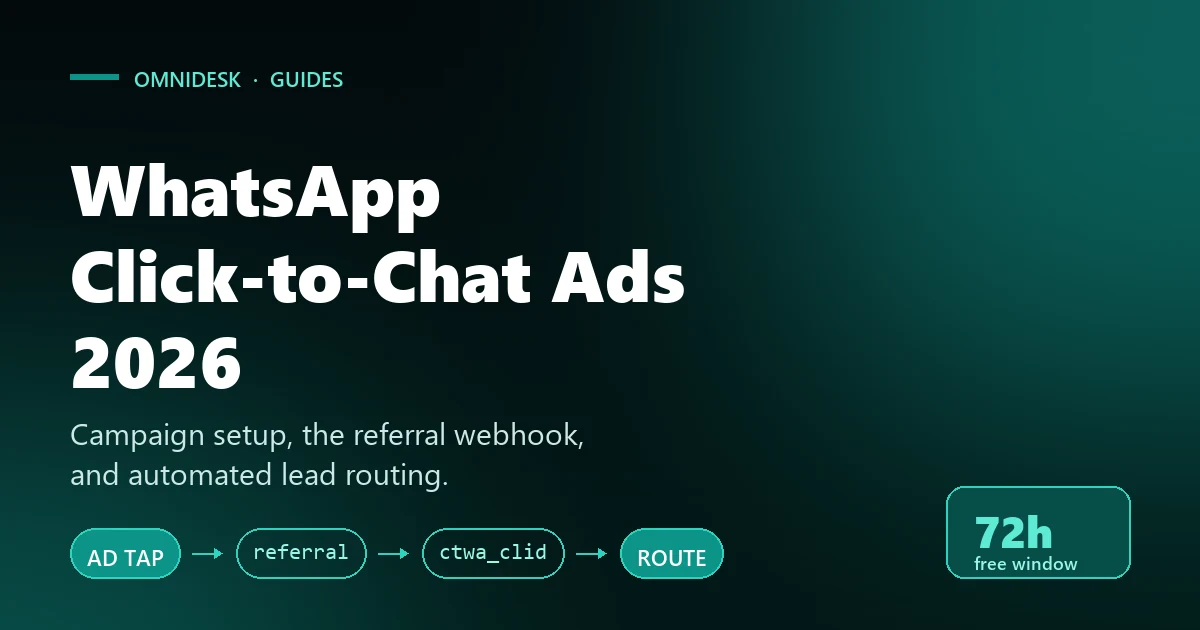
WhatsApp Click-to-Chat Ads 2026: Campaign Setup and Automated Lead Routing
Meta hands you the lead and the attribution data in the same webhook payload. Here is the campaign structure that produces both, the referral fields worth routing on, and the 72‑hour free window that decides what the follow‑up costs.
A WhatsApp click-to-chat ad is the shortest path Meta sells between an impression and a conversation. There is no landing page, no form, no email round trip. The prospect taps, WhatsApp opens, and a message arrives in your inbox — usually within seconds of the tap.
That speed is also the problem. The ad hands you a lead at the exact moment intent is highest, and then the clock starts. If that message lands in an undifferentiated queue with no campaign context attached, your team is doing manual triage on your most expensive traffic. Meanwhile the attribution trail — which ad, which creative, which click — is sitting unread in the webhook payload.
This guide covers the mechanics that actually matter for whatsapp click-to-chat ads: the four campaign objectives Meta allows and what each does to your bidding, the exact Marketing API fields that build the creative, the welcome‑message configuration that decides how much intent you capture before an agent reads anything, the 72‑hour free messaging window most teams never price in, the referral payload that arrives with the first message, and how to feed conversions back to Meta so the auction optimises for revenue rather than for chat volume.
What a Click-to-Chat Ad Actually Is
Structurally, a click-to-chat ad is a standard Meta ad unit whose call‑to‑action opens a WhatsApp thread with your business number instead of loading a URL. Meta's own name for the format is "ads that click to WhatsApp", usually shortened to CTWA.
Three layers do the work. The creative layer on Facebook or Instagram collects the tap. The referral layer attaches metadata about that specific ad — the ad ID, the headline, the creative body copy and a click identifier called ctwa_clid — to the user's first outbound message. The API layer delivers that message plus its referral metadata to your webhook, where your inbox or middleware decides what happens next.
You can build these ads two ways: through Meta Ads Manager, or programmatically through the Marketing API. Ads Manager is faster for a marketer testing creative. The Marketing API is what you want once you are generating localised variants at scale or binding welcome messages to campaigns from your own tooling. Both produce the same object, and both are covered below.
Choosing the Right Objective for Click-to-Chat Ads
Meta restricts WhatsApp‑destination campaigns to four campaign objectives. The choice is not cosmetic: it determines what the auction optimises toward, and one creative feature is gated behind a specific objective.
The four permitted values for objective are OUTCOME_ENGAGEMENT, OUTCOME_LEADS, OUTCOME_SALES and OUTCOME_TRAFFIC. One hard rule sits on top of that list: if your creative uses a call prompt, the objective must be OUTCOME_ENGAGEMENT. That is Meta's stated requirement, not a recommendation, so decide whether you want call prompts before you build the campaign structure.
Meta documents which objectives are permitted but does not publish a decision matrix for choosing between them. The table below is our operational read, based on what each objective optimises for elsewhere in the Ads platform. Treat it as a starting hypothesis to test, not as documented guidance.
Objective
What it pushes the auction toward
When we would pick it
OUTCOME_ENGAGEMENT
Conversations started
The default for most click-to-chat ads, and mandatory if you are using call prompts. Best when your bottleneck is the number of qualified conversations reaching the team.
OUTCOME_LEADS
Lead events you define and report back
When you are sending qualification events to Meta and want the auction to find people who complete them, not just people who open a chat.
OUTCOME_SALES
Downstream purchase events
Considered purchases that close in chat, where you can report a value back through the Conversions API.
OUTCOME_TRAFFIC
Clicks on the messaging link
Rarely right for a support or sales desk. It optimises for taps, and a tap that never becomes a message costs you the same as one that does.
Building Click-to-Chat Ads in Ads Manager
Under the Engagement objective, the destination controls stay hidden until you ask for them. You either tick Add a destination or select a relevant call‑to‑action button, and the Destination section appears. Engagement lets you receive messages on Messenger, Instagram or WhatsApp, so this is where you commit to WhatsApp specifically.
One detail saves a lot of confusion: when your conversion location is Messenger or WhatsApp, the destination and the conversion location are the same thing. Ads Manager does not ask for a separate destination during ad creation, and there is no URL field to fill in. If you are hunting for one, you have picked the wrong conversion location.
At the ad level you supply the media, the headline, the primary text and the welcome message. That last field is the one worth spending time on, and it gets its own section below. Before you publish, confirm that the WhatsApp Business Account phone number attached to the ad is the number your team actually watches. A live campaign pointing at a dormant number is a failure mode that produces no error anywhere.
Building the Same Ad Through the Marketing API
Programmatic setup gives you exact control over the creative object, which is what you want once click-to-chat ads are being generated rather than hand‑built. At the ad set level, set destination_type to "WHATSAPP" for a single‑destination click‑to‑chat ad.
The creative is assembled inside object_story_spec.link_data, which takes:
image_hash or video_data — the media asset.
name — the ad headline. This string is echoed back to you on the webhook, which quietly makes it a routing key. More on that below.
page_welcome_message — the opening experience, structured below.
The page_welcome_message payload takes a fixed envelope — type of "VISUAL_EDITOR", version of 2, landing_screen_type of "welcome_message" and media_type of "text" — with the interesting part nested inside text_format:
Meta also exposes welcome message sequences as reusable objects. You POST a sequence to the welcome_message_sequences endpoint, get an ID back, and reference that ID from the creative in either the Marketing API or Ads Manager. A sequence bundles an introductory text message, an autofill message and ice breakers. Creating them requires the whatsapp_business_management permission.
One constraint to design around: a sequence linked to an active ad cannot be deleted or modified. You have to disconnect it from every ad first. In practice that means versioning sequences rather than editing them — create consultation-v2, point new ads at it, retire consultation-v1 once its ads stop.
The Welcome Message Is the Highest-Leverage Field
The value you pass in customer_action_type decides how much structured intent reaches your inbox before a human reads anything. Meta supports four:
autofill_message — pre-fills the user's input box with a fixed string; they just tap send. Every lead from that ad arrives with identical text, which makes exact-match routing trivial. It captures nothing beyond "this person tapped this ad".
ice_breakers — renders tappable prompts such as "Book a viewing", "Request pricing" or "Talk to sales". Meta caps these at three quick-reply options. Each sends its own payload, so the first inbound message already tells you which branch the prospect chose.
whatsapp_flow — opens an interactive multi-step form inside WhatsApp before the first message is sent. This is how you collect an email, a budget band or a preferred slot without an agent having to ask.
ctwa_call_prompt — surfaces a call prompt alongside messaging. Remember the objective constraint: this one requires OUTCOME_ENGAGEMENT.
The trade-off is friction against context. An autofill message maximises how many people send something and minimises what you learn about them. A Flow does the reverse. Our default for a sales-led desk is ice breakers: three options is enough to branch on, and tapping a button costs the prospect nothing. Whichever you pick, the payload it produces is what lets you assign WhatsApp chats to the right agent automatically instead of letting the fastest agent cherry-pick the queue.
The 72-Hour Free Window Nobody Prices In
This is the part of click-to-chat ads that changes the maths, and it is routinely misunderstood. There are two windows, they run on independent timers, and one of them is free.
When a user messages you via a click-to-WhatsApp ad, a 24-hour customer service window opens, exactly as it would for any inbound message. Facebook Page call-to-action buttons behave the same way, though Meta notes that entry point applies to the Android and iOS apps only.
Here is the part that matters. If you respond inside that window with any message type, a separate free entry point window opens, and it lasts 72 hours from your response. Meta's wording on what you can send during it is unambiguous: while open, you can send any type of message to the user at no charge. Any category. Marketing templates included.
The two windows do not move together. Once the 24-hour customer service window closes, you are back to templates only — but if the free entry point window is still running, those templates are still free. So a prospect who taps your ad on Monday morning and gets a reply within the hour can be re-engaged with a marketing template on Wednesday morning at no Meta charge, long after free-form replies have stopped being available.
Two consequences follow for anyone budgeting click-to-chat ads. First, response speed is not only a conversion lever, it is a cost lever: replying inside 24 hours is what buys the 72 free hours. A campaign that runs while nobody is watching the inbox pays full rate for every follow-up. Second, your follow-up cadence should be built around the 72-hour boundary rather than around a generic day-one, day-three, day-seven schedule. This is where SLA timers stop being a support-quality metric and start showing up in the media budget, which is why we wire them into routing rules in OmniDesk rather than leaving them to agent discipline.
Two related pricing facts are worth stating plainly, because both are widely misreported:
Utility templates sent inside an open customer service window are free. Meta's documentation says so directly, and the webhook confirms it — those messages come back with type of free_customer_service, category of utility and billable set to false.
There is no change on 1 October 2026 that makes service messages billable. You will find this claim on a lot of comparison pages. Meta's updates-to-pricing documentation lists only rate-card moves for that date — lower rates for Bangladesh, Iraq, Nepal and Sri Lanka, higher rates for Kazakhstan, Kuwait, Morocco, Oman and Ukraine, plus billing localisation in Brazil. Service conversations have been free for all businesses since 1 November 2024 and remain so.
For context on the surrounding model: on 1 July 2025 Meta replaced conversation-based pricing with per-message pricing, so marketing, utility and authentication templates sent outside a free window are billed individually by delivery, destination country calling code and volume tier. Our breakdown of WhatsApp Business API pricing goes through how those layers stack.
The Referral Object: What Arrives With the First Message
When someone taps your ad and sends their first message, the WhatsApp Cloud API attaches a referral object to that inbound message on your webhook. This is the attribution data for click-to-chat ads, and it is the raw material for every routing rule in the next section.
Two properties of it drive the engineering. It arrives only on the first message. Meta generates ctwa_clid at the moment of the tap and attaches it to the referral object of that first inbound message; subsequent messages in the same thread carry nothing. If you do not persist it on arrival, it is gone. And users may elect to remove their referral data, so referral can be absent entirely. Any handler that assumes the key exists will throw on a real, legitimate message.
The object carries source_url, source_id, source_type, headline, body, media_type, image_url, video_url, thumbnail_url and ctwa_clid. What each is worth operationally:
Referral field
What it holds
Routing decision it enables
source_id
The ad ID
The primary routing key. Map ad IDs to teams, queues or owners so a lead is assigned before anyone opens the thread.
source_type
"ad" or "post"
Separate paid traffic from organic post traffic and apply a tighter SLA to the traffic you are paying for.
source_url
The ad or post URL on Facebook
Give the agent a one-click link to the exact creative the prospect saw.
headline
The ad headline you set as name
Keyword routing without maintaining an ad-ID table — match on the words you already wrote into the creative.
body
The ad's primary copy
Secondary tagging: offer, promotion or product line mentioned in the ad.
media_type
The creative's media type
Creative-format performance analysis once you join it to conversion outcomes.
image_url / video_url / thumbnail_url
The creative asset
Render the ad the prospect tapped inside the agent's conversation view, so the first reply can reference it accurately.
ctwa_clid
An opaque click identifier
The attribution key. Store it on the contact and send it back through the Conversions API when the lead converts.
Automated Lead Routing Built on Referral Data
Referral metadata is only worth capturing if something acts on it within seconds. Four patterns cover most of what click-to-chat ads demand of a growth or support team.
Route by source_id
The cleanest rule: match the inbound ad ID against a table of active campaigns and assign the thread accordingly. Enterprise campaign to the enterprise pod, consumer promotion to tier-one support, high-budget campaigns to your closers. Teams running one campaign per property or per product line use this to bind a lead to its owner before an agent has read a word — the pattern behind WhatsApp lead follow-ups for real estate.
Route on headline and body text
Maintaining an ad-ID table gets painful when you are testing dozens of creatives a week. The cheaper approach is to match on strings you already control: put a token in the headline and route on it. Headlines containing "Enterprise" or "Commercial" get a high-priority tag and a tight response SLA; headlines containing "Clearance" go to the promotions queue. It is the same mechanism that lets a small team manage 500 WhatsApp prospects without losing a lead during a spike, because the queue sorts itself.
Bot-first triage with a clean handoff
When volume outruns headcount, an automation should acknowledge every ad-sourced thread immediately, referencing the specific headline so the reply does not read as generic. It asks the two or three qualifying questions your team would ask anyway, then hands over with an internal summary note attached. The failure mode to design against is a bot that will not let go; our notes on chatbot-to-human handoff cover the escape hatches that matter. Remember that the bot's reply is also what opens the 72-hour free window, so this pattern pays for itself twice.
Persist ctwa_clid on the contact record
Write it to a dedicated field on first contact, and make it read-only. It is the only bridge between a WhatsApp conversation and the ad that produced it, and it arrives exactly once. A deal that closes forty-five days later is still attributable if the field survived; it is unattributable if an agent overwrote it. Locking system fields against manual editing is one of the less glamorous shared inbox best practices, and one of the few that has a directly measurable cost when skipped.
Closing the Loop With the Conversions API
Without conversion signal, Meta optimises click-to-chat ads for conversations started. You will get cheaper conversations and, frequently, worse ones. Sending qualification and purchase events back through the Conversions API is what moves the auction from volume to value.
Meta runs a specific variant for this, Conversions API for Business Messaging, and its requirements are narrow enough to get wrong:
action_source is "business_messaging" — a fixed value across all messaging channels. Not "chat", not "other".
messaging_channel is "whatsapp" (the same field takes "messenger" or "instagram" for the other surfaces).
For WhatsApp, user_data must carry whatsapp_business_account_id and ctwa_clid.
ctwa_clid must not be hashed. Meta's parameter reference marks it "Do not hash" explicitly. Email and phone still require SHA-256; this field is the exception, and a pipeline that hashes everything in user_data by default will silently break attribution.
Non-web events require only action_source — you do not need client_user_agent or event_source_url, which web events do require.
Supported event_name values include Purchase, LeadSubmitted, QualifiedLead, InitiateCheckout, AddToCart, ViewContent, OrderCreated, OrderShipped, OrderDelivered, OrderCanceled, OrderReturned, CartAbandoned, RatingProvided and ReviewProvided. For a sales desk, QualifiedLead fired when an agent marks a thread qualified is usually the highest-signal event you can send early enough to be useful.
One operational warning from Meta's own guidance: Meta does not deduplicate these events for you, and explicitly encourages advertisers to deduplicate before sending. If both your inbox automation and your CRM can mark a deal won, decide now which one owns the event, or you will train the auction on inflated conversion counts.
A Pre-Launch Checklist for Click-to-Chat Ads
Objective matches the creative. One of the four permitted values, and strictly OUTCOME_ENGAGEMENT if the creative uses ctwa_call_prompt.
Destination is set and live.destination_type of "WHATSAPP", pointed at a number someone is actually watching.
Welcome message matches your intent-capture goal. Autofill for volume, ice breakers for branching, Flow for structured data. Sequences versioned rather than edited, since a sequence attached to a live ad cannot be changed.
Webhook handles a missing referral key. Users can strip it. Test that path deliberately rather than discovering it in production.
ctwa_clid is persisted on first message, unhashed, and write-protected. It never arrives twice.
Someone replies inside 24 hours, always. That reply opens the 72-hour free entry point window. Set the SLA timer to something well short of it and alert on breach.
Follow-up cadence is built around the 72-hour boundary, not around a generic drip schedule.
Templates for post-window re-engagement are approved before launch. Approval is Meta's decision and takes as long as it takes — see WhatsApp message template approval. A WhatsApp Business Account holds a maximum of 250 templates, so prune before you add.
Conversions API events fire with business_messaging, whatsapp and an unhashed ctwa_clid — and exactly one system owns each event.
None of this is exotic. Click-to-chat ads come down to a handful of fields, two windows and one identifier. But the gap between a click-to-chat campaign that reports well and one that quietly loses its attribution is almost entirely in this list, and most of it has to be right before the first impression is served rather than after.
Want every ad-sourced lead routed, tagged and timed before an agent opens it?
WhatsApp click-to-chat ads are Meta ad units whose call-to-action opens a WhatsApp thread with your business instead of loading a landing page. Meta calls the format ads that click to WhatsApp, usually shortened to CTWA. The prospect taps the ad, WhatsApp opens with a welcome message you configured, and their first message arrives on your webhook carrying a referral object that identifies the exact ad, headline and click. That referral payload is what makes click-to-chat ads routable: you can assign the conversation to the right team before an agent has read it.
Which campaign objectives can I use for click-to-chat ads?
Meta permits four objectives for WhatsApp-destination campaigns: OUTCOME_ENGAGEMENT, OUTCOME_LEADS, OUTCOME_SALES and OUTCOME_TRAFFIC. One rule is absolute rather than advisory: if your creative uses a call prompt, the objective must be OUTCOME_ENGAGEMENT. Decide whether you want call prompts before you build the campaign structure, because that choice constrains everything above it. Beyond that constraint Meta does not publish a decision matrix, so which of the four suits your click-to-chat ads is a question to test rather than to look up.
Are messages free after someone clicks a WhatsApp ad?
Partly, and the mechanism is worth learning because it is where click-to-chat ads stop behaving like ordinary paid traffic. A user messaging you from a click-to-WhatsApp ad opens the usual 24-hour customer service window. If you respond inside that window with any message type, a separate free entry point window opens and runs for 72 hours from your response. Meta states that while it is open you can send any type of message to that user at no charge, marketing templates included. The two windows run on independent timers, so once the 24-hour window closes you are limited to templates, but those templates stay free while the 72-hour window is still open.
Is it true that WhatsApp service messages stop being free in October 2026?
No. This claim circulates widely and Meta's own documentation contradicts it. Service conversations became free for all businesses on 1 November 2024 and remain free, and Meta's pricing documentation still states that utility templates delivered inside an open customer service window are free. What Meta actually documents for 1 October 2026 is a set of rate-card moves: lower rates for Bangladesh, Iraq, Nepal and Sri Lanka, higher rates for Kazakhstan, Kuwait, Morocco, Oman and Ukraine, plus billing localisation in Brazil. That is a change to what things cost, not to what is billable.
What is ctwa_clid and how do I use it?
ctwa_clid is the Click to WhatsApp ID. Meta generates it at the moment a prospect taps your ad and attaches it to the referral object on that prospect's first inbound message only, so if you do not persist it on arrival it is gone. Store it on the contact record as a write-protected field, then send it back through the Conversions API when the lead converts. Two rules trip people up: it must never be hashed, even though email and phone in the same user_data object must be SHA-256 hashed, and for WhatsApp you must send whatsapp_business_account_id alongside it.
How do I route leads from click-to-chat ads automatically?
Route click-to-chat ads on the referral object that arrives with the first message. The cleanest key is source_id, the ad ID, matched against a table of active campaigns so each ad assigns to a specific team or owner. When you are testing many creatives, matching on the headline or body text is cheaper to maintain, because you control those strings when you write the ad. source_type tells you whether the traffic was an ad or an organic post, which lets you apply a tighter SLA to traffic you are paying for. Build the rules so they fire on message arrival, not on agent pickup, or click-to-chat ads will keep arriving faster than anyone can triage them.
What Conversions API settings do click-to-chat ads need?
Meta runs a specific variant called Conversions API for Business Messaging. Set action_source to business_messaging, a fixed value across all messaging channels, and messaging_channel to whatsapp. For WhatsApp, user_data must carry whatsapp_business_account_id and an unhashed ctwa_clid. Non-web events require only action_source, unlike web events which also need client_user_agent and event_source_url. Supported event names include Purchase, LeadSubmitted and QualifiedLead. Meta does not deduplicate these events for you and asks advertisers to deduplicate before sending, so decide which single system owns each event.
Can I change a welcome message sequence after the ad is live?
No. Meta states that a sequence linked to an active ad cannot be deleted or modified, and you must disconnect it from every ad before making changes. The practical answer is to version sequences rather than edit them: create a new sequence, point new ads at it, and retire the old one when its ads stop running. Sequences themselves are reusable objects you POST to the welcome_message_sequences endpoint, which returns an ID you reference from the creative in either Ads Manager or the Marketing API. Creating them requires the whatsapp_business_management permission.
One inbox. Every channel. No per-message platform fee.
Join 500+ businesses using OmniDesk to manage WhatsApp, Instagram, Telegram and live chat — with live translation, routing and SLA tracking included on every plan.